FBuddy CRM is live
FBuddy CRM desktop app

Your agency's home on Fansly

Run every creator account, every chatter, and every conversation from one desktop workspace with the oversight, attribution, and compliance tools your agency needs.
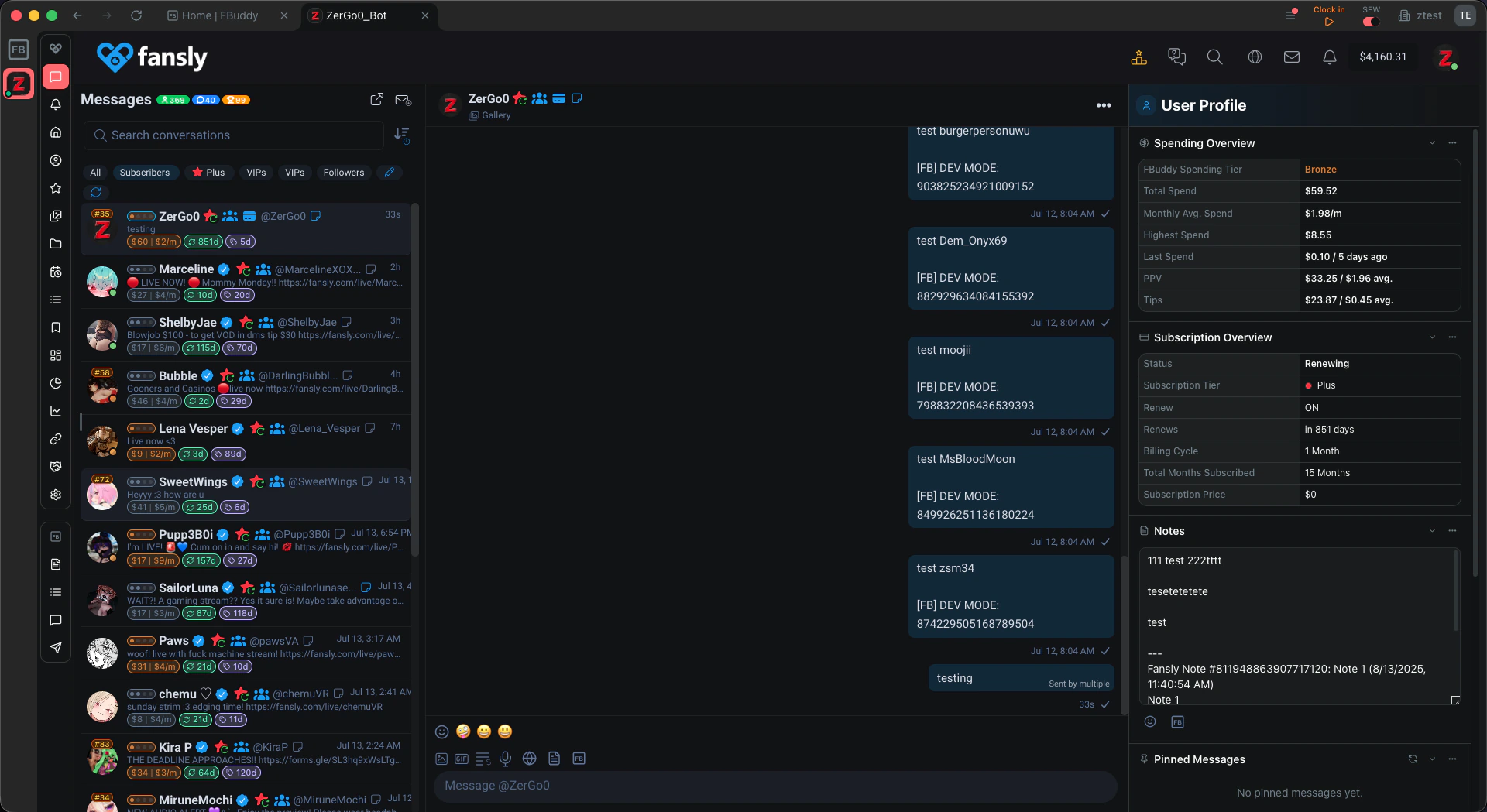
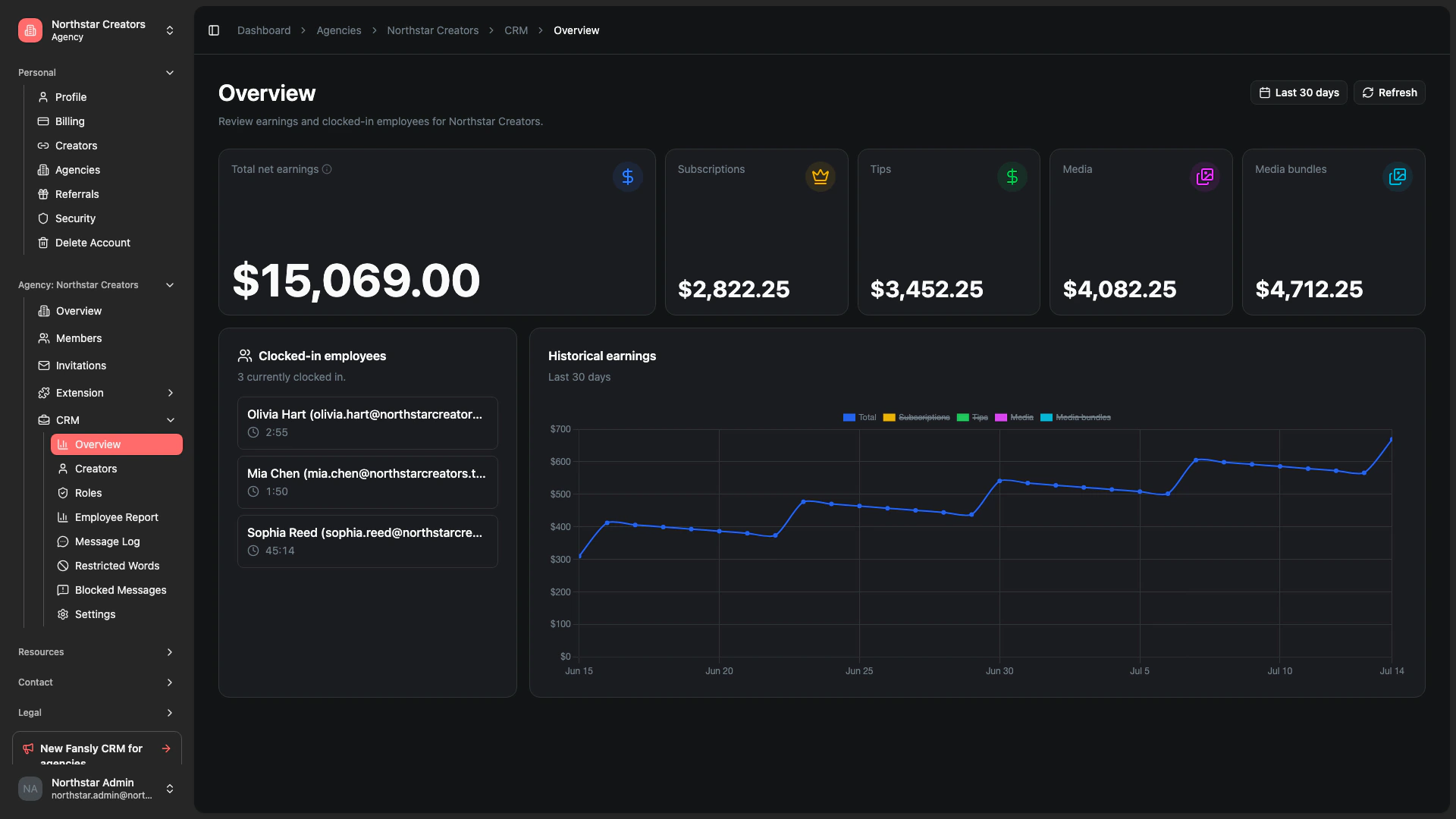
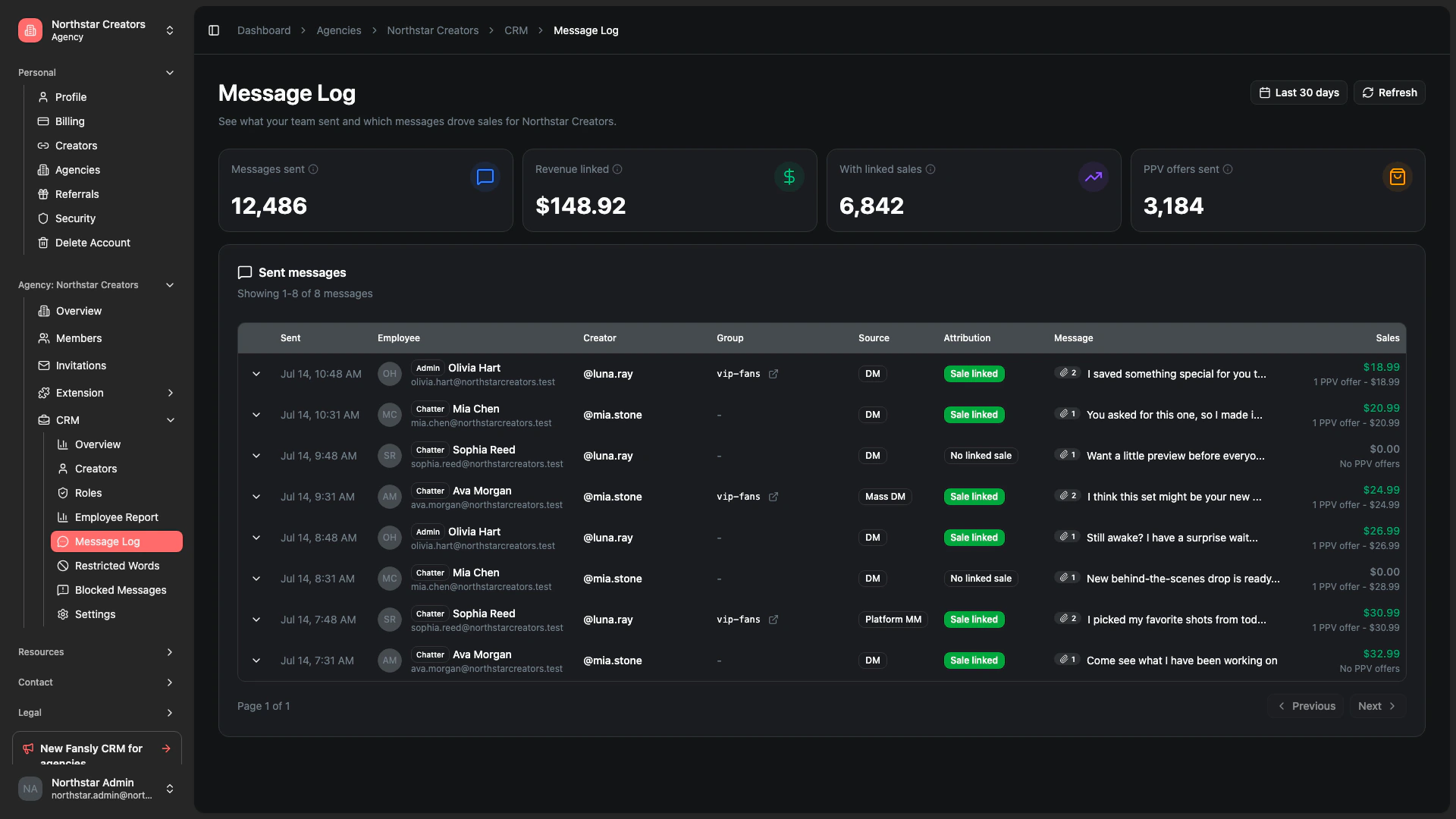
FBuddy CRM preview 1 background FBuddy CRM preview 1
FBuddy CRM preview 2 background FBuddy CRM preview 2
FBuddy CRM preview 3 background FBuddy CRM preview 3

Launch offer

25% off for 3 months

Try before you buy

14-day free trial

Built for every role

One CRM, three ways to win

Chatters move faster. Admins stay in control. Owners get the numbers that matter.

For agency owners

See earnings trends, review team performance, control billing, and decide who can access each creator account.

For admins

Invite members, assign creators, enforce restricted words, and keep agency workflows compliant without micromanaging every DM.

For chatters

Open assigned creators in embedded Fansly, use templates and Smart Lists, and message faster with fan context built in.

Product tour

See what agencies get in CRM

Click any feature to preview it, or let the showcase cycle through automatically

Pricing

Choose the plan that fits your agency

CRM is priced per creator. Start with a free trial and scale as your roster grows.

Free

Browser extension only

$0 /month
  • Basic agency management
  • Limited FYP analytics dashboard
  • Limited Tag stats & related tag suggestions
  • Limited Media performance list
  • Limited Story scheduler
  • Limited Auto Goals
  • Subscriber statistics
  • Livestream stats bar
  • Text templates

And a few more features

Get Started Free

PRO

Browser extension only

$20 /month for 2 creators
14-day free trial
$5 first month
  • Everything in Free
  • Full agency management
  • Full FYP analytics report
  • Full Tag stats & related tag suggestions
  • Full Media performance list
  • Unlimited Story scheduler
  • Bulk posts scheduler
  • Auto Messages
  • Unlimited Auto Goals
  • Smart lists
  • Mass Direct Message
  • Text templates in DMs + Quick Send
  • Online users list + history
  • Message translations

And 44 more features

Start Free Trial
Recommended for agencies

CRM

Desktop CRM for agencies

$20 /creator/month
14-day free trial
Launch offer: 25% off for 3 months
  • Everything in PRO
  • Desktop app for macOS, Windows, and Linux
  • Built-in managed creator proxies
  • Employee Report and Message Log
  • Roles, restricted words, and compliance tools
  • Browser extension access included

And 48 more features

Start Free Trial
Get started

Set up your agency in minutes

Subscribe, download the desktop app, and bring your team into one CRM workspace without a long onboarding process.

  1. 1

    Subscribe to CRM

    Choose how many creators you need and start billing from your FBuddy dashboard.

  2. 2

    Download the desktop app

    Install FBuddy CRM on macOS, Windows, or Linux, then sign in with your FBuddy account.

  3. 3

    Set up your agency workspace

    Create or select your agency, invite members, and add the Fansly creators your team will manage.

  4. 4

    Assign creators and roles

    Choose which members work on each creator and review permissions before live messaging starts.

  5. 5

    Work with full oversight

    Chatters message in embedded Fansly while owners and admins monitor performance, logs, and compliance.

Frequently asked questions

What is FBuddy CRM?
FBuddy CRM is a dedicated desktop app for Fansly agencies. Chatters work inside embedded Fansly views while owners and admins get dashboards for earnings, team performance, message attribution, and compliance.
Do you keep shipping new CRM features?
Yes. CRM is actively developed. We regularly add agency reporting, chatter tools, compliance controls, and workflow improvements. See the CRM updates page for the latest releases.
Who pays for CRM?
The agency owner manages billing. Team members use CRM through the agency workspace without needing their own CRM subscription.
Does CRM include the browser extension?
Yes. The CRM plan includes PRO extension access plus the dedicated desktop app and agency oversight tools.
How are creator accounts approved?
Owners add creators through agency management, assign members, and control which accounts are active before chatters can work with them.
Are data and permissions separated?
Yes. Members only see agency-active accounts and tools their role allows, while owners control roles, billing, and creator access.

Ready to run your agency from one workspace?

Start your CRM trial, invite your team, and download the desktop app when you are ready to go live.

macOS, Windows, and Linux
Includes PRO extension access